Project managers
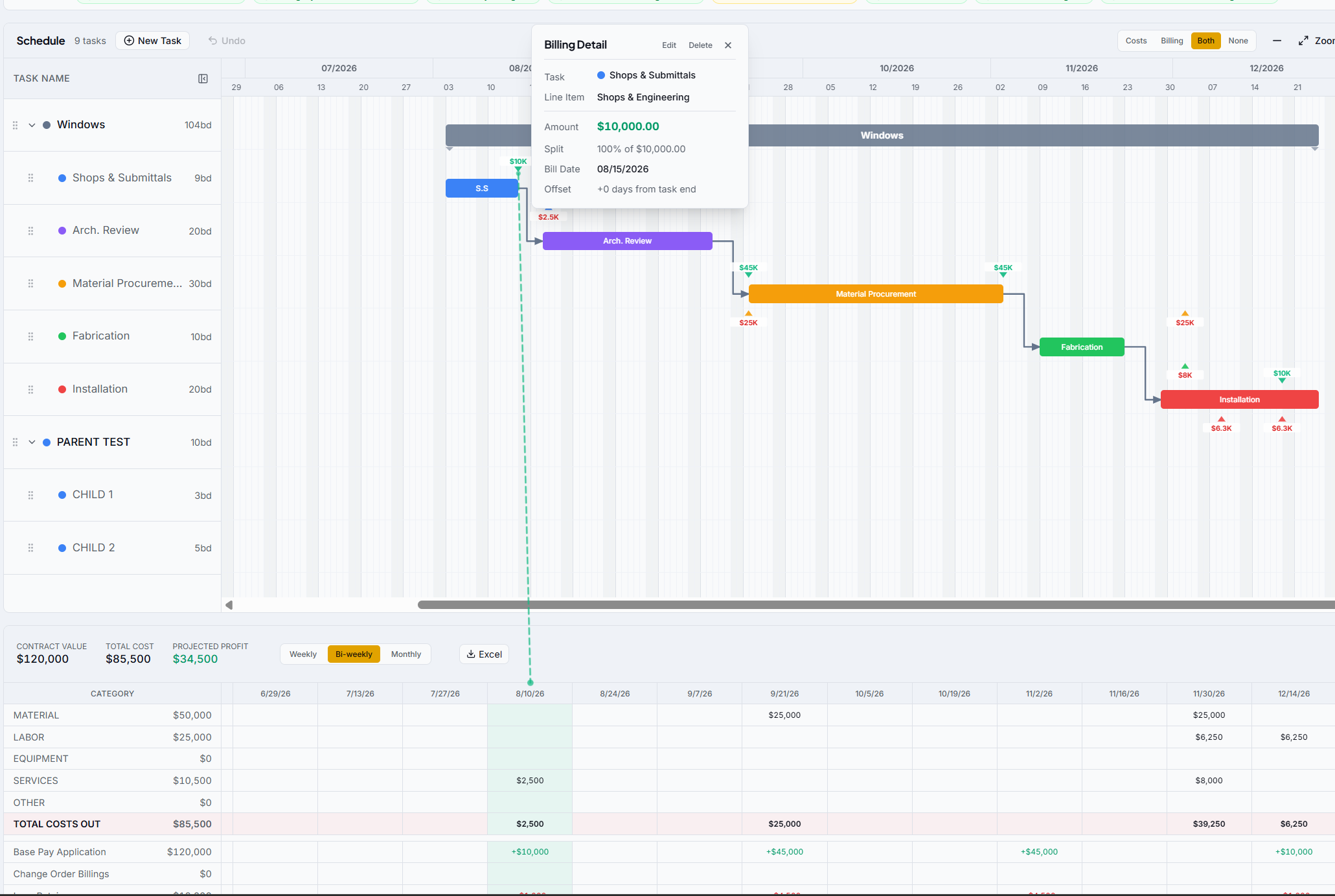
Keep the schedule and the budget on one screen. Drag a phase and watch the cash impact before you commit to it.
Every financial report tells you where your cash went. cash2schedule shows you where it's going.
Built for the way cash really flows
One place to assign cost and revenue to your schedule, watch cash move with every drag, and forecast shortfalls before they hit the bank.
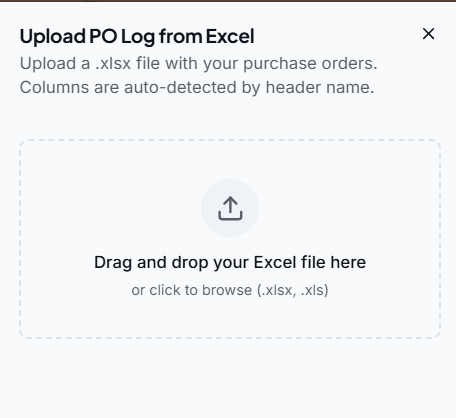
Drop in the Excel file and cash2schedule auto-detects the columns, cleans the data, and maps each line to your tasks.
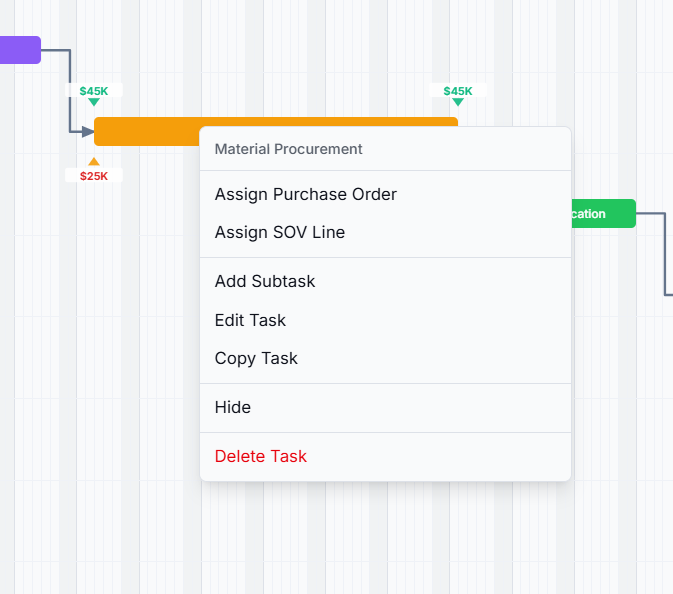
Tie any PO or billing line to a task and it becomes a dated cash event.
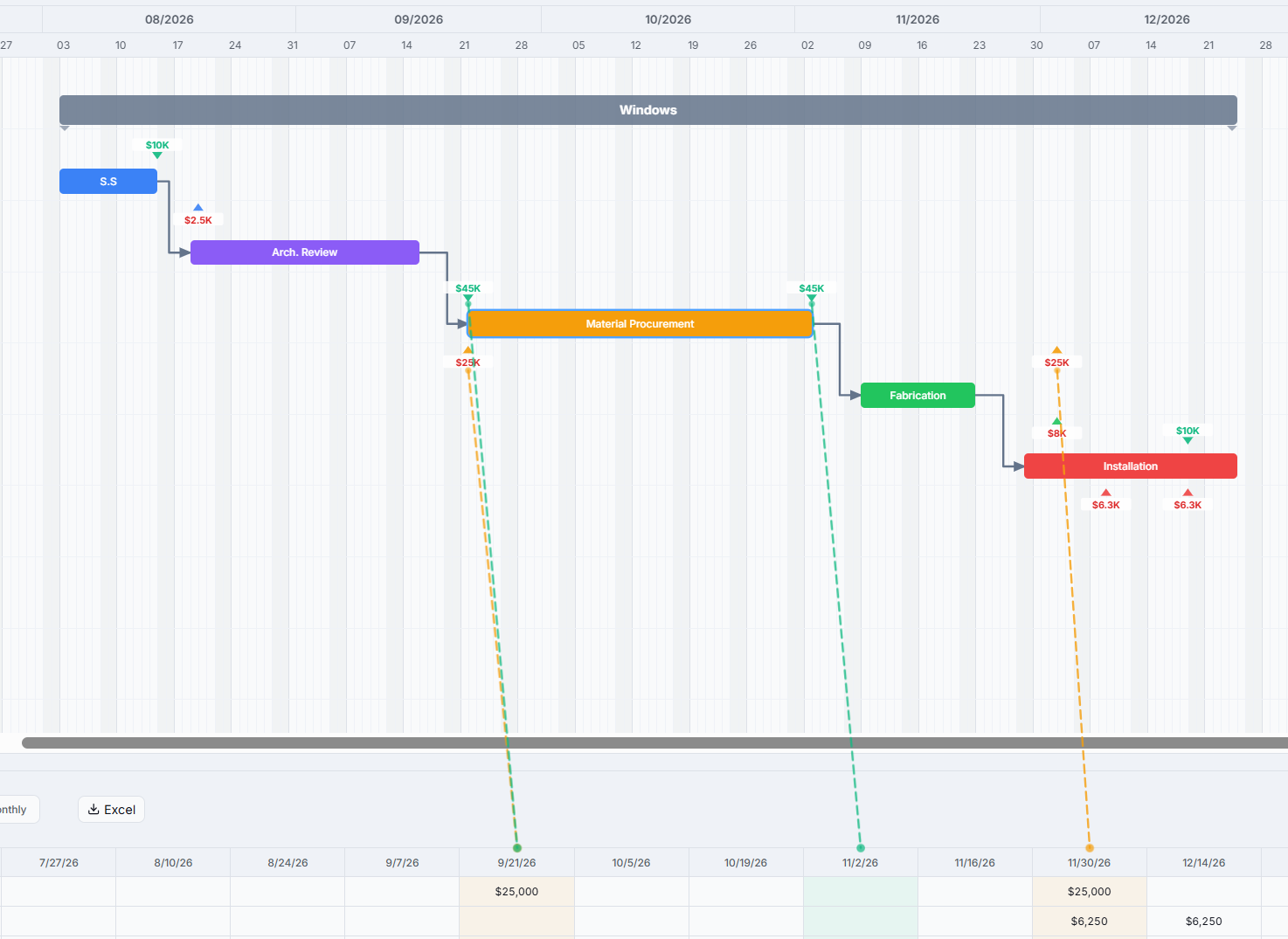
Drag a bar to a new date and every linked cost, billing, and dependent task moves with it.
Save any schedule as a template — tasks, timing, hierarchy, and dependencies — then drop it onto the next project.
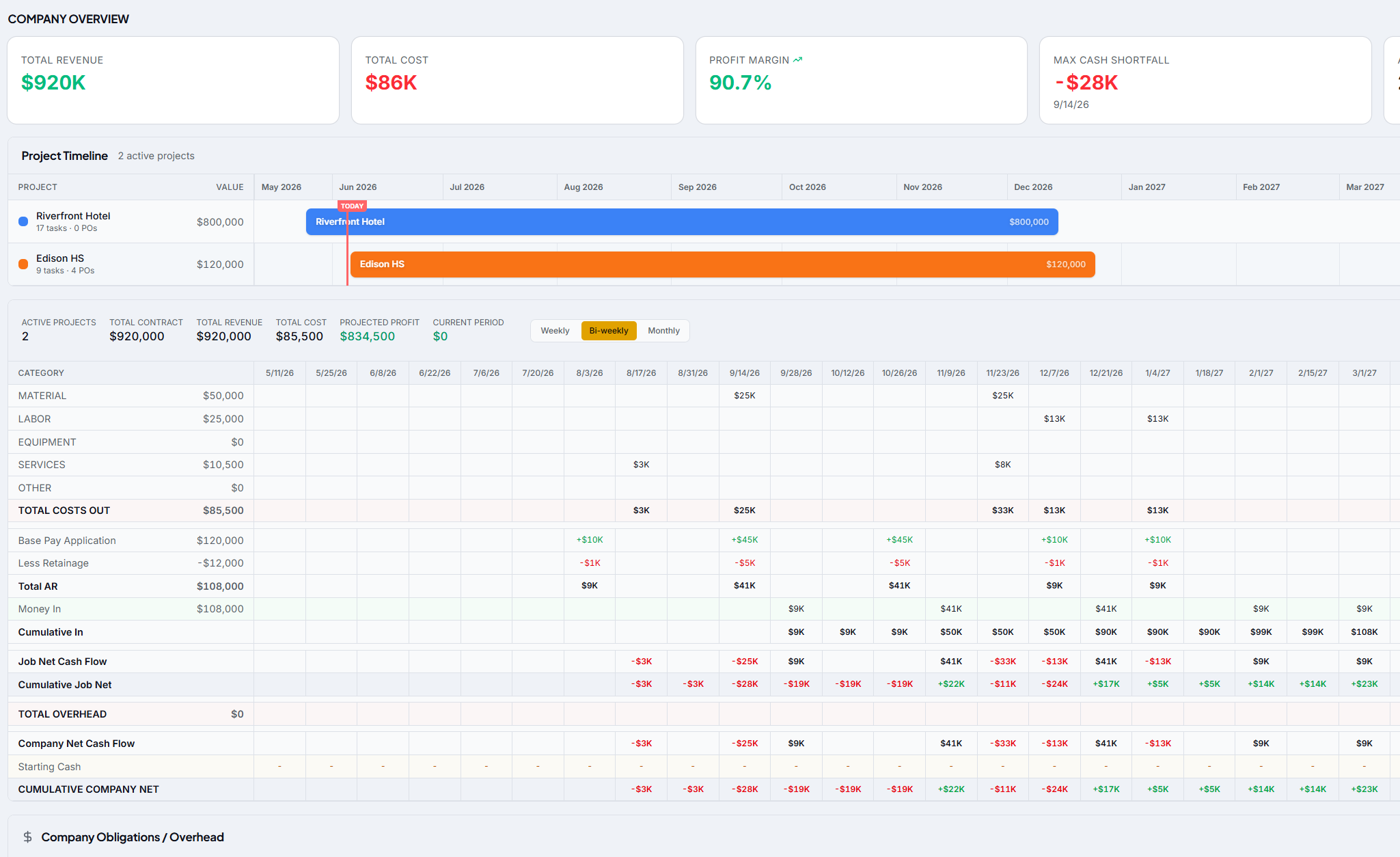
See one project up close, then roll every project plus overhead into a single company cash position — and the exact month of your deepest shortfall.
Anywhere money goes out before it comes back in, on a schedule.
Tie pay apps, retainage, and PO logs to the construction schedule and see the cash position of every job and the whole company.
Keep the schedule and the budget on one screen. Drag a phase and watch the cash impact before you commit to it.
Pull back to the company view, apply overhead, and know your true margin across every active project in a glance.
Billings, payment terms, and costs line up automatically. PO logs auto-map, so reconciliation stops eating your week.
A clean schedule that reflects reality. Update progress and the whole team sees the cash consequences instantly.
Simple enough for the field, precise enough for finance. Get every active project in within an hour or two.
Upload your PO log and it maps automatically.
Assign costs and revenue onto the schedule.
Check the per-project or company view to forecast a shortfall before it hits.
"For the first time we can see a shortfall coming six months out instead of finding it when the cash is already gone. We moved two projects' worth of cash planning into cash2schedule and dropped the spreadsheets entirely."
Get a walkthrough on one of your real projects. We'll load it, assign the cash, and show you the forecast in under 30 minutes.
Cash flow, scheduled.